TC-UB620 4K Capture Card Format Guide: MJPG vs NV12 vs I420 at 4K60
On the TC-UB620 USB 4K capture card, the record format is the setting that decides the highest frame rate available at a given resolution. In MJPG the card captures 3840 × 2160 at 60 fps and 2560 × 1440 at 144 fps or 120 fps. In NV12 or I420 the same card reaches 3840 × 2160 at 30 fps and 2560 × 1440 at 60 fps.
For a buyer in evaluation or execution, that table settles most of the decision before any other specification is discussed. A 4K60 deliverable means working in MJPG. A deliverable that requires uncompressed 4:2:0 color at 4K means accepting 30 fps. Everything else — USB 3.2 Gen 2 versus Gen 1, UVC/UAC compatibility, OBS/VLC/Amcap behavior — either supports one of those two paths or rules it out.
This is a technical checklist rather than a product overview. It works through why format changes frame rate, what each of the three formats carries, and how to verify that format, USB link, and workflow actually agree before a production depends on the card.
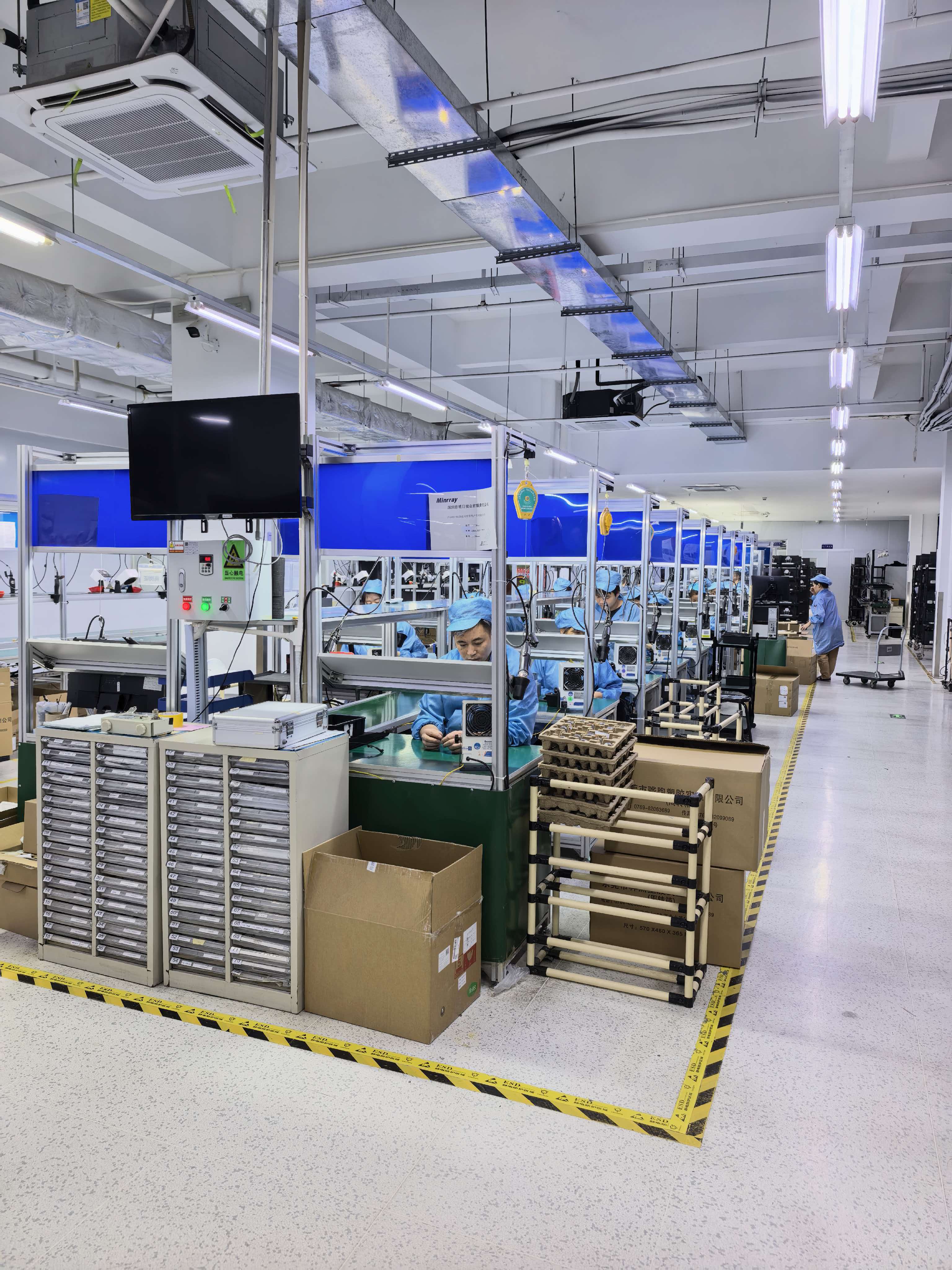
TCHD Video manufactures video capture cards, live streaming cameras, converters, encoders, and switchers in Beijing.
Why one capture card lists two frame rates for the same resolution
A USB capture card does not have a single "4K frame rate". It has a set of modes, and each mode is a combination of resolution, frame rate, and pixel format. The host application selects one combination from the list the device reports over USB Video Class, the standard that lets class-compliant capture devices run without a proprietary driver.
The ceiling on each combination is arithmetic. Every frame carries a payload of width × height × bytes per pixel, and every second carries a frame count. Multiplied together, they produce a sustained data rate that has to fit inside what the USB link delivers after protocol overhead. Compressed formats reduce bytes per pixel; uncompressed formats do not. That is the whole reason the same hardware runs 4K at 60 fps in one format and 4K at 30 fps in another.
The scale of the problem is easy to underestimate. An uncompressed 4K 60 Hz RGB 24-bit stream requires roughly 11.94 Gbps, which is why it exceeds the 5 Gbps ceiling of a USB 3.0-class link, as documented in Purplelec's comparison of PCIe and USB 3.0 capture paths. Compression is not a marketing shortcut on USB capture cards; it is what makes 4K60 over a single cable possible at all. USB-attached capture hardware also held the largest product-type share of the category at 38.4% in 2025, according to Dataintelo's Video Capture Card Market Research Report 2034, so format behavior on a USB link affects a large share of real deployments.
What MJPG, NV12, and I420 actually carry
The three formats in the TC-UB620 table differ in two ways: whether the frame is compressed, and how color is sampled. Both differences change what the card can sustain.
MJPG: compressed frames, higher frame-rate ceiling
MJPG (Motion JPEG) compresses each frame independently as a JPEG image. There is no inter-frame prediction, so every frame stands alone and every frame must be decoded on the host before it can be displayed, recorded, or re-encoded for a stream.
Two consequences matter to a buyer. First, payload is scene-dependent: a static slide compresses far smaller than audience movement, stage lighting changes, or sensor noise in a dark venue, so bytes per second are not fixed. Second, the host pays for the compression twice — once decoding the incoming MJPG and again when the platform re-encodes for output. On a machine that is already encoding a stream, 4K60 MJPG is a meaningful CPU/GPU load, and it should be measured rather than assumed.
What MJPG buys is frame rate. It is the only format in the TC-UB620 table that reaches 60 fps at 3840 × 2160, and the only one that reaches 144 fps or 120 fps at 2560 × 1440.
NV12: uncompressed 8-bit 4:2:0, semi-planar
NV12 is uncompressed 8-bit YUV 4:2:0 in a semi-planar layout: a full-resolution luma (Y) plane followed by one interleaved chroma plane holding U and V at half horizontal and vertical resolution. Luma detail stays at full resolution; color detail is halved in both directions.
Because nothing is compressed, the data rate is constant and predictable and there are no compression artifacts to explain to a viewer or an auditor. Hardware encoders commonly accept NV12 natively, so the path from capture to encode is often shorter than with MJPG. The cost is bandwidth: 8-bit 4:2:0 works out to 1.5 bytes per pixel. A straightforward calculation for 3840 × 2160 at 60 fps gives about 746 MB/s, or roughly 6.0 Gbps, before any USB protocol overhead is added. That figure is calculated from pixel count and sampling depth rather than measured on the card, but it shows why uncompressed 4K60 sits beyond a 5 Gbps-class link.
I420: the same sampling, different memory layout
I420 carries the same 8-bit 4:2:0 sampling as NV12 but stores it in planar form: the full Y plane, then a U plane, then a V plane. The payload is identical, so the achievable frame rate is identical — exactly what the TC-UB620 table shows, with NV12 and I420 both at 30 fps for 3840 × 2160 and 60 fps for 2560 × 1440.
The NV12-versus-I420 decision is therefore a software question, not a speed question. Pick whichever layout your capture application, encoder, or downstream pipeline handles without an extra conversion step. Converting between them is cheap but not free, and on a busy host the conversion appears as load rather than as visible artifacts.
TC-UB620 record-format reference
These are the verified record-format figures for the card.
| Record format | 3840 × 2160 | 2560 × 1440 | Frame payload |
|---|---|---|---|
| MJPG | 60 fps | 144 fps / 120 fps | Compressed; varies with scene |
| NV12 | 30 fps | 60 fps | Uncompressed 8-bit 4:2:0, semi-planar |
| I420 | 30 fps | 60 fps | Uncompressed 8-bit 4:2:0, planar |
Read the table by column, not by headline. "4K60" is a true statement about this card only in the MJPG column. A specification sheet that says the card supports 3840 × 2160 and separately says it supports 60 fps is not wrong, but it is not a promise that the two combine in every format. The combination you get is the one in the row.
At 2560 × 1440 the card lists both 144 fps and 120 fps as MJPG modes. Which of the two you can actually run depends on what your capture application and display pipeline accept, since not every application exposes a 144 Hz option even when the device reports it. Test the higher figure rather than assuming it.
The USB link variable: Gen 2, Gen 1, and the 4K60 NV12 question
USB 3.2 Gen 2 and USB 3.2 Gen 1 are different connection modes with different payload ceilings, and the mode actually negotiated depends on the whole chain: host port, cable, and any hub or dock in between. A Gen 2-capable card attached to a Gen 1 port runs as a Gen 1 device, and nothing warns you — the mode simply downgrades.
On this card the link matters most where the payload is largest. 4K60 NV12 is the demand case that separates the two link classes: uncompressed 4K at 60 fps needs a USB 3.2 Gen 2-class path, and a Gen 1 connection cannot carry it. That requirement comes from the payload, not from a particular vendor.
The practical caution is this: the TC-UB620's published 4K60 mode is MJPG, and its NV12 and I420 modes at 3840 × 2160 are listed at 30 fps. A project that needs 4K60 in NV12 must therefore have that exact mode confirmed for the specific unit and firmware, rather than inferred from a "4K60" headline or from the presence of a Gen 2 port. Where the mode is not confirmed, the honest planning assumption is MJPG at 4K60 or NV12 at 4K30 — both are usable, but they are different productions.
Checking the link before blaming the card is straightforward: confirm the port's rated mode from the host documentation rather than the port color, use a cable rated for the same mode, remove hubs and docks from the test path, and re-check the negotiated mode after any change to the chain.
Compatibility: UVC/UAC, OBS, VLC, and Amcap
UVC compliance is what makes a capture card driver-free. As Elgato's reference on capture-card terminology states, the USB Video Class standard lets a compliant capture device behave as a plug-and-play camera without a proprietary driver. UAC covers the audio side the same way, so audio arriving over HDMI is presented to the host as a standard audio input rather than a vendor-specific device.
Two things follow for a buyer. The first is convenience: no driver installation, no vendor lock-in at the operating-system level, and the same device works across hosts. The second is a limit: the list of formats, resolutions, and frame rates you can choose from is whatever the device firmware reports, because no vendor driver layer exists to add modes later. If a combination is not in the reported list, no application setting will create it.
That makes application-level testing part of the evaluation.
- OBS exposes resolution, frame rate, and video format in the properties of a Video Capture Device source. This is where a 4K60 MJPG mode or a 4K30 NV12 mode gets selected explicitly rather than inherited from a default.
- VLC can open the device directly as a capture source, which is a useful independent check: if a mode appears in VLC but not in OBS, the constraint sits in the application configuration rather than in the card.
- Amcap is a lightweight preview and capture utility that shows what the device exposes at the driver level, which is a fast way to establish whether a mode exists at all on that host before troubleshooting an encoder.
The diagnostic rule: a mode missing from all three applications on the same host and cable is not exposed by the device in that configuration, while a mode missing from only one application is a configuration or pipeline issue. Menu labels differ between operating systems and software versions, so match on the underlying setting rather than on a remembered menu name.
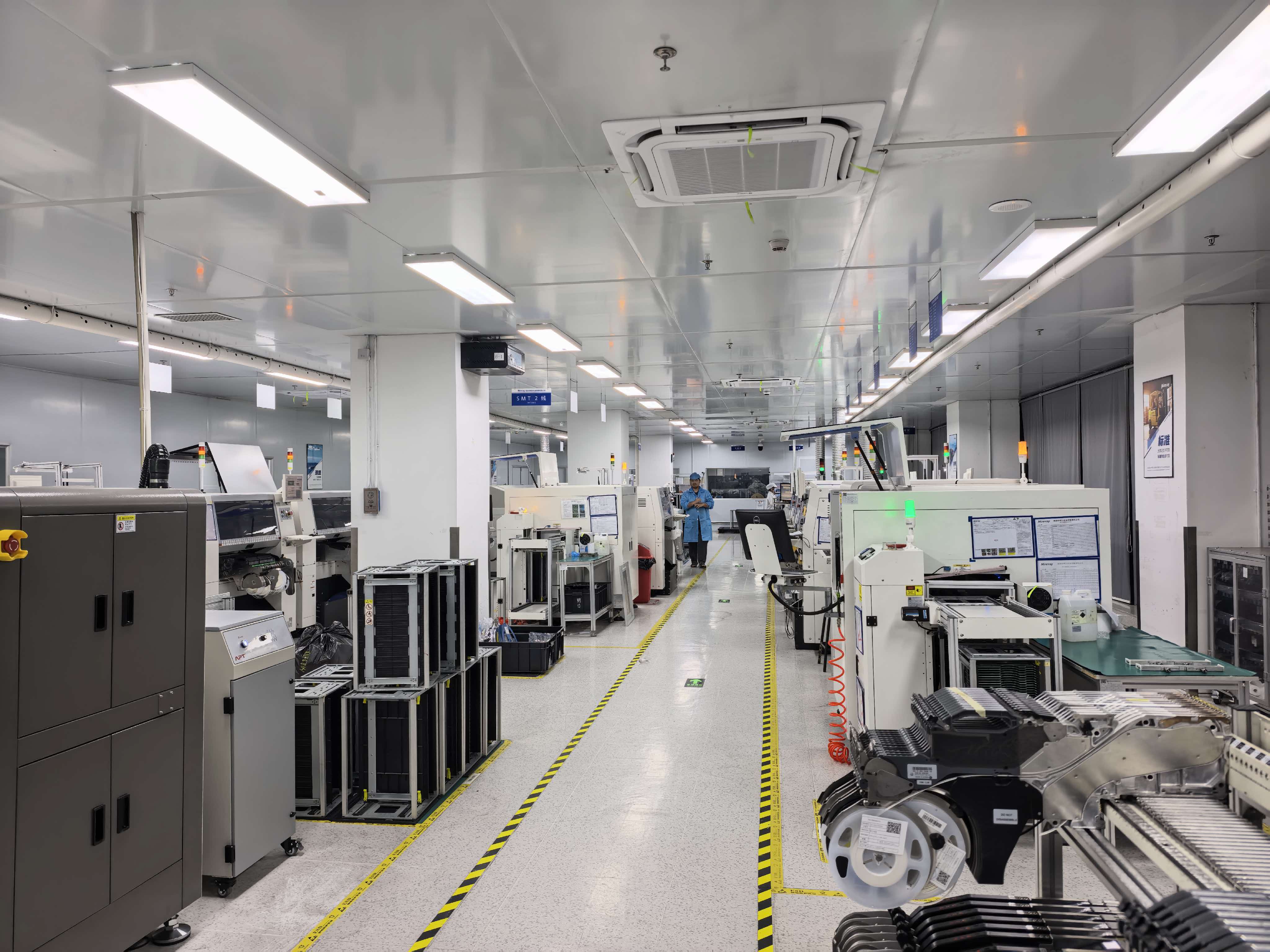
Verifying a mode list on a real host is part of the acceptance test, not an optional extra.
Selection checklist: matching format, link, and workflow
Work through these steps in order. Each one can invalidate the assumption made before it, which is why format comes before any hardware shopping.
- Write the deliverable as four values. Resolution, frame rate, pixel format, and audio. "4K" alone is not a specification; 3840 × 2160 at 60 fps in MJPG is.
- Find that combination in the format table. A 4K60 target means MJPG. A 4K target in NV12 or I420 means 30 fps. A 1440p target at 144 or 120 fps means MJPG, against 60 fps in NV12/I420.
- Confirm the host port's connection mode. Gen 2 versus Gen 1 changes what the link carries; check the host's documented specification, not the port color or the laptop's marketing name.
- Confirm the cable and remove intermediaries. A charge-only or lower-rated cable, or a dock that renegotiates the link, can silently cap the mode. Test the final chain, not a convenient one.
- Set the mode explicitly in the application. Do not rely on defaults in OBS or VLC. Select resolution, frame rate, and format, then confirm the selection survives a restart.
- Validate under real load. Record or stream for at least ten minutes of representative content and check dropped frames, encoder lag, file-size growth, and audio drift. Static test patterns hide MJPG's scene-dependent payload.
- Document the working configuration. Record format, resolution, frame rate, port, cable, and application version, and re-test after operating-system, driver, or software updates. A validated preset is the only reliable defense against a silent downgrade.
Matching the format to the workflow
The format decision is a workflow decision. The verified figures support four practical patterns.
High-frame-rate 1440p for motion. Esports tournament capture and game console recording usually care more about motion smoothness than about pixel count. At 2560 × 1440 the card offers 144 fps and 120 fps in MJPG against 60 fps in NV12 or I420. That is the largest frame-rate gain in the table, and it carries the largest decode load, because every one of those frames is compressed and must be decoded on the host.
4K60 in MJPG for single-camera live production. E-commerce live streaming, concert streaming, and single-camera sports event coverage that must deliver 4K at 60 fps land in the MJPG column. Budget the host's CPU and GPU for decode plus encode, and test with the actual scene content, because fast movement and abrupt lighting changes are the worst cases for MJPG payload.
4K30 in NV12 or I420 for content that is mostly static. Lecture recording, remote education, video conference capture, enterprise meeting recording, and telemedicine consultation share a profile: the frame is usually stable, color fidelity and predictable file size matter more than 60 fps, and the recording may be archived or reviewed frame by frame. At 3840 × 2160 those workflows get 30 fps in NV12 or I420, uncompressed, with no compression artifacts to explain.
Aggregate bandwidth in multi-camera work. Broadcast multi-camera production, virtual studio setups, and campus TV production add capture streams, and each additional stream consumes link capacity on its host controller. Whether a topology holds depends on how many devices share a controller and which format each one runs; the table gives the per-stream demand, but the topology has to be tested as a whole.
Limitations and decision rules
- 4K60 is an MJPG-only mode on this card. A workflow that cannot accept compression cannot have 4K at 60 fps here; it can have 4K at 30 fps uncompressed, or 1440p at 60 fps uncompressed.
- Compression shifts cost to the host. MJPG does not remove work, it relocates it: smaller USB payload, larger decode load. Measure the host before committing to a 4K60 or 1440p144 plan.
- NV12 and I420 are not a speed choice. They share a payload and therefore share the published frame rates. Choose by pipeline compatibility.
- Link downgrades are silent. A wrong cable or an interposed dock usually produces a lower mode rather than an error message, so the negotiated mode has to be verified.
- Driver-free means mode-list-bound. UVC/UAC compatibility removes driver installation and also removes any vendor layer that could add a format later.
FAQ
Is the TC-UB620 driver-free, and does it work with OBS, VLC, and Amcap?
Yes on both counts, within the limits of class compliance. The card is specified as UVC/UAC compatible, which means it presents itself to the operating system as a standard video and audio device without a proprietary driver — the plug-and-play behavior the USB Video Class standard is designed to provide. It is listed as working with OBS, VLC, and Amcap. The practical consequence is that the formats you can select are the ones the device reports; if a combination is absent from that list, application settings will not create it.
Does the TC-UB620 capture 4K at 60 fps in NV12 or I420?
No. The published record-format figures put 3840 × 2160 at 60 fps in MJPG only. In NV12 and in I420 the same resolution is listed at 30 fps, and at 2560 × 1440 the NV12 and I420 figures are 60 fps against 144 fps or 120 fps in MJPG. A 4K60 uncompressed deliverable therefore needs the exact NV12 4K60 mode confirmed for the specific unit and firmware before it is planned into a production.
Which format costs less in practice, MJPG or NV12?
They cost in different places, so "less" depends on what is scarce in your setup. MJPG reduces USB payload, which is what allows 4K60 and 1440p144 on this card, but it adds decode work on the host and introduces compression artifacts at high motion or in low light. NV12 removes the decode step for encoders that accept it natively and gives a constant, predictable data rate, but its payload is large enough that 4K is limited to 30 fps here. On a host that is already encoding, the cheaper option is usually the one that matches the deliverable: MJPG when frame rate at 4K is mandatory, NV12 when artifact-free 4K30 is enough.
How can I test a capture card's format behavior before committing?
Test the exact chain you intend to deploy. Use a USB 3.2 Gen 2-rated port and cable if the plan depends on the heavier payloads, remove hubs and docks, and open the device in Amcap or VLC first to see which modes it exposes on that host. Then set the same mode explicitly in OBS, record or stream ten minutes of representative content, and check dropped frames, encoder lag, file size, and audio sync. Repeat with the content that stresses the format most — fast motion and low light for MJPG — because MJPG payload varies with the scene. A configuration that survives that test is the one to document and reuse.
China 4K capture card OEM manufacturers with firmware customization
Firmware-level customization is a claim to verify rather than assume, and the verification is documentable. Ask for the exact mode list the firmware exposes — resolution, frame rate, and format per row — in writing, then confirm it on your own host before production. Ask which behaviors are firmware-controlled and which are fixed by the UVC descriptor set, because UVC compliance limits how far a mode list can diverge from standard class behavior. On the supplier side, TCHD Video (TCHD Digital Video Technology Development (Beijing) Ltd) states that it can customize and develop products according to different customer needs, and holds a quality management system certificate to GB/T 19001-2016 / ISO 9001:2015, certificate 064-24-Q-0675-R1-S, issued by BEIJING STANDARD CERTIFICATION CENTRE and valid to 2027-03-07; that certificate's stated scope covers the sales of digital audio and video products and related technical services. Treat the certificate as evidence of a documented quality system within that scope, and treat the mode list as the technical evidence that matters for a format decision. The TCHD Product Catalog 2025 is a reasonable starting point for the model range.
Conclusion
The format decision on the TC-UB620 comes down to one trade: MJPG buys frame rate and spends host compute, while NV12 and I420 buy uncompressed color and spend frame rate. In verified figures that means 3840 × 2160 at 60 fps in MJPG against 30 fps in NV12 or I420, and 2560 × 1440 at 144 fps or 120 fps in MJPG against 60 fps in the uncompressed formats.
Everything else in the evaluation supports that choice. USB 3.2 Gen 2 versus Gen 1 determines whether the heaviest payloads are available at all; a 4K60 NV12 requirement has to be confirmed as an exposed mode rather than inferred; UVC/UAC compatibility explains why the mode list is fixed by firmware; and OBS, VLC, and Amcap are the tools that show what the device actually reports. Verify the mode, test the chain, document the preset — then the specification on the page and the picture on the screen will match. For the wider model range and customization options, see TCHD Video.
Have Questions or Need More Details?
Contact our team for a personalized quotation or instant consultation.
Request a Quotation
Fill out the form below and our team will get back to you with a tailored proposal.
WhatsApp Direct Chat
Prefer to chat in real-time? Message us on WhatsApp for instant assistance & quick answers.
- Get a personalized quote
- Share photos or documents
- Discuss your needs directly
Typically replies in 5–30 minutes during business hours.