USB vs HDMI/SDI vs PoE+ Live Streaming Cameras: A Buyer's Comparison Guide
Two live streaming cameras can share the same sensor generation, the same 4K label and the same price band, and still behave completely differently in the same room. The reason is rarely the image specification. It is the interface — the part of the camera that decides whether the signal actually reaches the switcher, the streaming platform or the recorder, and what it costs to keep it running.
This guide compares the three interface architectures buyers are choosing between for 2026 projects: USB-centric cameras built on USB 3.0 with UVC/UAC, baseband cameras built around HDMI and SDI, and network cameras that add PoE+ wired LAN. It uses the USB-centric TCHD-X6 and TCHD Video's multi-interface models — which carry HDMI, SDI, USB and optional PoE+ wired LAN — as working examples, and it closes with the commercial layer that decides whether a trial unit becomes a repeatable supply line: minimum order quantity, payment terms, delivery terms and acceptance testing.
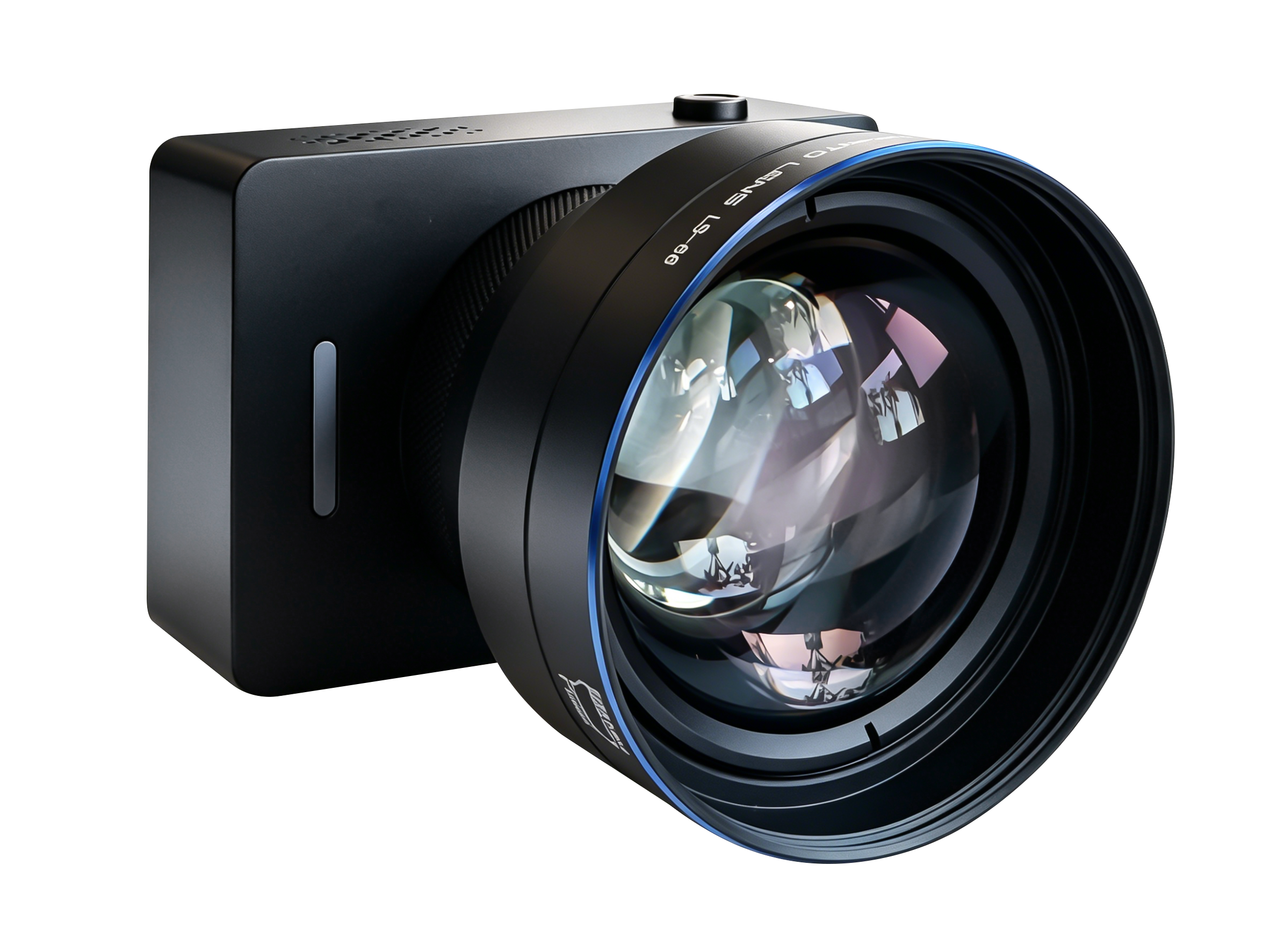
The USB-centric TCHD-X6 pairs USB 3.0 UVC/UAC connectivity with 4K@30fps MJPEG and 1080p YUV output modes, HDR and AI facial tracking.
The Real Problem: Interface Mismatch, Not Resolution
Resolution stopped being a differentiator some time ago. What still separates a working install from a failed one is whether the camera's physical output matches the room's signal chain, the operator's skill level and the building's cable paths.
Four mismatches account for most of the rework buyers encounter after delivery:
- A USB-only camera where there is no computer. A USB 3.0 camera needs a host — a PC, a laptop or a media server. If the room runs a hardware switcher, the camera has nothing to enumerate on.
- An HDMI/SDI camera without a matching receiver. A broadcasting camera with HDMI and SDI outputs presumes a switcher, capture card or monitor that accepts those signals, and a control path that matches the camera's protocol.
- A cable run longer than the signal allows. USB and HDMI links are deployed over short paths in most rooms; SDI is the architecture used when the camera sits far from the rack.
- A network camera on a switch that was never designed for it. PoE+ carries power and data over one cable, which simplifies cabling — but it moves the constraint to network design and switch power budget.
Each mismatch is solvable with converters, additional cabling or a different camera. Those fixes cost money and time, and they introduce a new failure point into a system that has to work every week. For buyers at the decision and execution stage, the practical question is therefore not "which camera is better", but "which interface architecture does this project already speak".
Industry Background: Why Interface Choice Matters More Than It Did
Three structural developments have pushed interface decisions to the front of camera procurement.
PTZ became the default form factor. PTZ cameras represented over 35% of all IP surveillance camera installations globally in 2023, according to a Market Growth Reports commercial research estimate. The same pan-tilt-zoom mechanics now dominate video conference, education, church and event work, which means buyers routinely compare pan-tilt-zoom models across very different signal architectures.
The category keeps expanding. Business Research Insights projects the global live streaming camera market to reach USD 7.83 billion by 2035. Growth of that kind usually arrives through new deployment types — hybrid classrooms, distributed worship venues, e-commerce studios — rather than through replacement of broadcast hardware, and new deployment types tend to arrive with pre-existing IT infrastructure rather than with production racks.
Standards and trade rules are now part of the buying decision. Texas Department of Information Resources guidance for dedicated videoconferencing environments requires equipment to meet relevant ITU transmission standards — H.320 or H.324 for certain telephone/ISDN environments and H.323/SIP for Internet-based conferencing — and ITU-T H.324 defines a system architecture that explicitly includes camera video I/O equipment. On the trade side, special-purpose television cameras including CCTV are classified under HS Code 8525.89, with 8525.89.40 used in some regions. Neither point appears on a product page, yet both affect whether a camera can be deployed or imported.
Detailed Solution: The Three Architectures Side by Side
Architecture 1 — USB-centric: the TCHD-X6 approach
TCHD-X6 is a USB 3.0 live streaming camera built around the USB Video Class (UVC) and USB Audio Class (UAC). Video and audio enumerate on the host as standard class devices, which is what makes this architecture fast to deploy: no capture card, no driver package and no dedicated switcher.
Its documented output modes are 4K at 30fps in MJPEG and 1080p in YUV. The split matters in practice — MJPEG keeps 4K within realistic USB 3.0 bandwidth, while 1080p YUV gives capture software a less compressed signal to work with. The camera also supports landscape and portrait output, HDR, AI facial tracking and interchangeable lenses. Portrait output removes the crop-and-scale step that vertical platforms otherwise force on the operator; AI facial tracking reduces the number of people needed to keep a presenter framed; interchangeable lenses let one camera body serve a wide lecture hall and a close-framed studio desk.
Best fit: any workflow where a computer is the production hub — e-commerce and tiktok streaming setups, lecture streaming from a lectern PC, video conference rooms running soft codecs, and medical or surgical teaching where the camera feeds a recording workstation.
Architecture 2 — HDMI/SDI baseband: TCHD Video's multi-interface models
The multi-interface TCHD Video models are built on a 1/2.8-inch 8.42 million pixel sensor with a maximum resolution of 3840×2160 and an output frame rate of up to 60 frames per second. They expose HDMI, SDI and USB outputs together, plus wired LAN with the PoE+ function available as an option. SDI supports 100 metres of transmission in 1080P60 format.
Published interface specifications for the LAN and USB3.0 models list RTSP, RTMP, ONVIF, GB/T28181 and SRT as supported network protocols, with control through VISCA, Pelco-D and Pelco-P over RS232 or RS422. Input voltage is DC12V (±10%), with power consumption under 12W on TC420 and up to 18W on model 6370.
The value of this architecture is redundancy and reach. A single camera body can feed a hardware switcher over SDI, a local monitor over HDMI, a laptop over USB and a network stream over LAN. The 100-metre 1080P60 SDI run is the specific capability that lets a camera sit at the back of a hall, in a ceiling position or at the far end of a surgical teaching suite while the rack stays where the operators are.
Best fit: broadcast-adjacent production, event streaming with a vision mixer, church streaming with a hardware switcher, education and classroom builds wired into a campus AV rack, and medical training where a 4K camera must reach a production position.
Architecture 3 — PoE+ wired LAN: one cable, network distribution
PoE+ is offered as an option on the same multi-interface models rather than as a separate product line. It delivers power and data over a single Ethernet cable, which changes the cabling and the deployment logic: no local power outlet at the camera position, and the signal can be distributed to any point the network reaches — a control room, a remote operator, a recording server or a streaming encoder.
This is the architecture to choose when cameras are spread across rooms or buildings, when operators are not in the same space as the cameras, or when the site's IP camera and ONVIF infrastructure is already in place. The trade-off is that the constraint moves from the cable to the network: switch power budget, VLAN design and stream management become the factors that determine reliability.
Comparison Table: Decision Factors Across the Three Architectures
| Decision factor | USB-centric (TCHD-X6) | HDMI/SDI baseband (TCHD Video multi-interface models) | PoE+ wired LAN (optional on the same models) |
|---|---|---|---|
| Primary interface | USB 3.0 with UVC/UAC | HDMI, SDI, USB and wired LAN | Wired LAN with PoE+ function (optional) |
| Resolution and frame rate | 4K@30fps MJPEG; 1080p YUV | 3840×2160 up to 60fps from a 1/2.8-inch 8.42 MP sensor | Same imaging platform as the multi-interface models |
| Signal reach | Bound by USB cabling and host port | SDI carries 1080P60 up to 100 m | Bound by network design and switch power budget |
| Power | Supplied through the USB connection | DC12V (±10%); under 12W on TC420, up to 18W on 6370 | Power and data over a single cable |
| Control | Host software via UVC/UAC | VISCA, Pelco-D, Pelco-P over RS232 or RS422 | Same control protocol set, carried over the network path |
| Network protocols | Not applicable — enumerates on the host | RTSP, RTMP, ONVIF, GB/T28181, SRT | RTSP, RTMP, ONVIF, GB/T28181, SRT |
| Framing and optics | Interchangeable lenses; landscape and portrait output; HDR; AI facial tracking | PTZ bodies listed at 12X, 20X and 30X optical zoom | Same PTZ bodies as the baseband configuration |
| Typical workflow | PC-based streaming, e-commerce studio, lecture capture, soft-codec conference room | Broadcast, event IMAG, church with switcher, medical training to a rack | Multi-room installs, remote operation, ONVIF-based site integration |
| Documented cost position | Not stated in the documentation used for this guide | Recorded at 15% lower cost than traditional cameras in TCHD Video's comparison documentation | Optional function — confirm in the quotation |
| Commercial baseline (confirmed for models 6394, 6388 and 6370): MOQ 1 unit · full prepayment · FOB/C&F delivery · acceptance by pre-shipment test | |||
Specifications as published by TCHD Video. Confirm the exact configuration, protocol set and terms for your project in the quotation.
Step-by-Step: From Requirement to Accepted Shipment
The sequence below converts an interface comparison into an executable purchase. It follows the order in which each decision constrains the next.
Step 1 — Name the signal destination first
Write down what the camera must feed: a computer, a hardware switcher, a recorder, a streaming platform or a network. If the answer is a computer, a USB 3.0 UVC camera is the shortest path. If the answer is a switcher or a broadcast rack, HDMI or SDI is required before anything else is discussed.
Step 2 — Measure the physical distance
Walk the cable path, not the room. Where the camera position is far from the equipment position, SDI is the architecture with a documented long-run capability: 100 metres in 1080P60 on the TCHD Video multi-interface models. Where the camera sits beside the operating position, USB 3.0 keeps the chain simple.
Step 3 — Decide the power architecture
Local power via DC12V (±10%) is straightforward where outlets exist at the camera position; published consumption is under 12W on TC420 and up to 18W on 6370. Where outlets do not exist or cabling must be minimised, the optional PoE+ function on the multi-interface models removes the separate power run — provided the network's power budget has been planned.
Step 4 — Match the control protocol to the existing controller
Control is where mismatches appear last and hurt most. If the site already uses a joystick or control panel, confirm it speaks VISCA, Pelco-D or Pelco-P over RS232/RS422 — the protocol set published for the TCHD Video LAN/USB3.0 models. For USB deployments, control sits in the host software and requires no separate controller.
Step 5 — Validate image behaviour on the real signal path
Test the camera on the cable and switching hardware the project will actually use. Check framing behaviour under HDR, confirm that AI facial tracking holds the presenter without hunting, and verify that interchangeable lenses cover the intended shot range on the USB-centric TCHD-X6. For baseband deployments, confirm that the SDI and HDMI outputs behave as expected at the rack end.
Step 6 — Lock commercial terms and acceptance criteria
Fix the model, interface configuration, MOQ, payment and delivery term in writing, together with the acceptance procedure. For models 6394, 6388 and 6370, TCHD Video's terms are MOQ 1 unit, full prepayment, FOB/C&F delivery and pre-shipment test acceptance. Because the MOQ is a single unit, a buyer can complete Step 5 on a commercially normal order rather than on a special arrangement.
Use Cases: Matching the Interface to the Room
Church streaming
A church streaming camera usually has to serve two operators with different skill levels. Where a hardware switcher and a volunteer team are in place, the HDMI/SDI multi-interface models give the switcher a native SDI feed with 100-metre reach from a rear-of-room position, while HDMI serves a local confidence monitor. Where the service is produced from a laptop, the USB 3.0 TCHD-X6 removes the switcher entirely and lets AI facial tracking carry the framing.
Education, classroom and lecture streaming
An education camera deployed in a classroom is typically installed once and operated by a teacher. USB 3.0 UVC output into the lectern PC is the lowest-friction option, and portrait output helps where lecture content is also published vertically. In a lecture streaming build wired into a campus AV rack, the SDI output of the multi-interface models is the more durable choice, because the camera can sit at the back of the hall while the rack stays in the equipment room.
Event streaming
An event streaming camera works in rooms that change every week. SDI is the standard answer: it reaches the production position over long cable runs, and a broadcasting camera with 4K up to 60fps gives the vision mixer material that survives cropping and slow-motion work. USB is normally reserved for the streaming encoder itself.
Medical and surgical teaching
Medical camera deployments need detail plus a recording destination. The 1/2.8-inch 8.42 MP sensor and 3840×2160 output support close-field teaching imagery, while HDMI, SDI and USB outputs let the same camera feed a recorder, a teaching display and a conference link. TCHD Video separately lists a surgical teaching camera application, and buyers should confirm regulatory status for clinical environments independently.
E-commerce and tiktok streaming
A tiktok streaming camera is operated by one person under time pressure. USB 3.0 with UVC/UAC means video and audio appear in the platform software without configuration, portrait output removes the crop step, interchangeable lenses allow a product close-up and a presenter wide shot from one body, and AI facial tracking keeps the presenter framed while the operator handles the sale.
Broadcast and IP camera integration
Broadcast positions and existing IP camera estates pull in opposite directions. For broadcast, baseband SDI/HDMI remains the interface of record, and TCHD Video also lists a 12G-SDI 4K broadcast PTZ camera. For sites already running ONVIF-based IP camera or surveillance camera infrastructure, the optional PoE+ wired LAN keeps the live streaming camera inside the existing network management model.
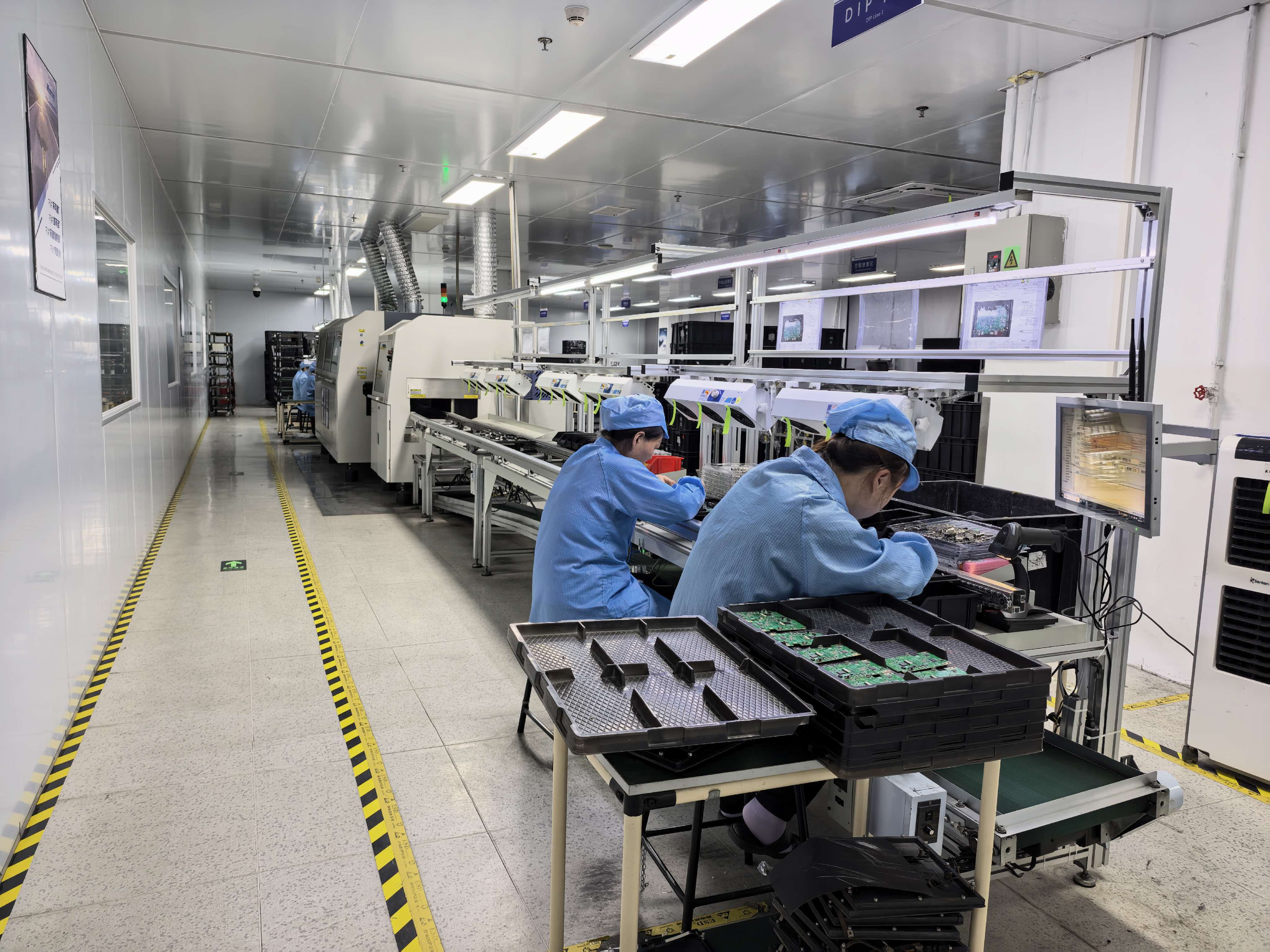
Production-stage controls at TCHD Video include constant temperature protection and a built-in heat dissipation module, supported by automatic signal correction, auto focus lock and anti-interference circuitry.
Stability, Latency and the Failure Modes Buyers Underestimate
Interface choice sets the ceiling on reliability, but the failure modes inside a live streaming camera are consistent across architectures: signal loss, picture flicker, overheating, audio failure and focus deviation. Each has a corresponding control method in TCHD Video's production documentation — constant temperature protection and a built-in heat dissipation module for thermal drift, automatic signal correction for signal loss, auto focus lock for focus deviation, and anti-interference circuit design for picture flicker and audio faults.
Those controls only matter if they are verified before the camera leaves the factory. TCHD Video's stated company measures are a 100% full-function aging test before shipment, 24-hour online technical debugging after delivery, spare parts supply for quality defects, and a pre-delivery signal stability inspection. In its comparison documentation against traditional cameras, TCHD Video also records low latency, lower maintenance, higher efficiency and a 15% lower cost as the practical differences.
For the buyer, the translation is concrete: ask for the aging test record, run the acceptance test on the real cable path, and keep one spare camera or one spare lens in the project budget. A 100-metre SDI run that passes inspection on delivery is worth more than a specification sheet that promises it.
Procurement and Long-Term Supply: Turning One Order into a Supply Line
Interface comparison is a decision-stage activity. Procurement is where it becomes repeatable — and repeatability is what protects a project across multiple sites, multiple rooms and multiple years.
TCHD Video (Tchd Digital Video Technology Development (Beijing) Ltd) was established in 2005 and operates a 10,000 m² facility with 50 employees, 10 R&D engineers and an annual output of 4,000 units. Its stated export ratio is 20%, with main markets in the EU, USA and Asia. That scale matters less for a single room than for a programme: the same supplier can serve a USB-based e-commerce studio today and an SDI-based lecture hall next quarter without a second qualification cycle.
The commercial terms are equally explicit. For models 6394, 6388 and 6370: MOQ 1 unit, full prepayment, FOB/C&F delivery, and acceptance through a pre-shipment test procedure. A one-unit minimum order quantity is what makes single-unit validation commercially normal, and a pre-shipment test as the acceptance criterion is what makes the validation meaningful.
Buyers planning a multi-year deployment should also confirm, per order: the exact interface configuration, the protocol set the site's controller requires, spare parts availability for quality defects, and 24-hour online technical debugging support for the deployment team.
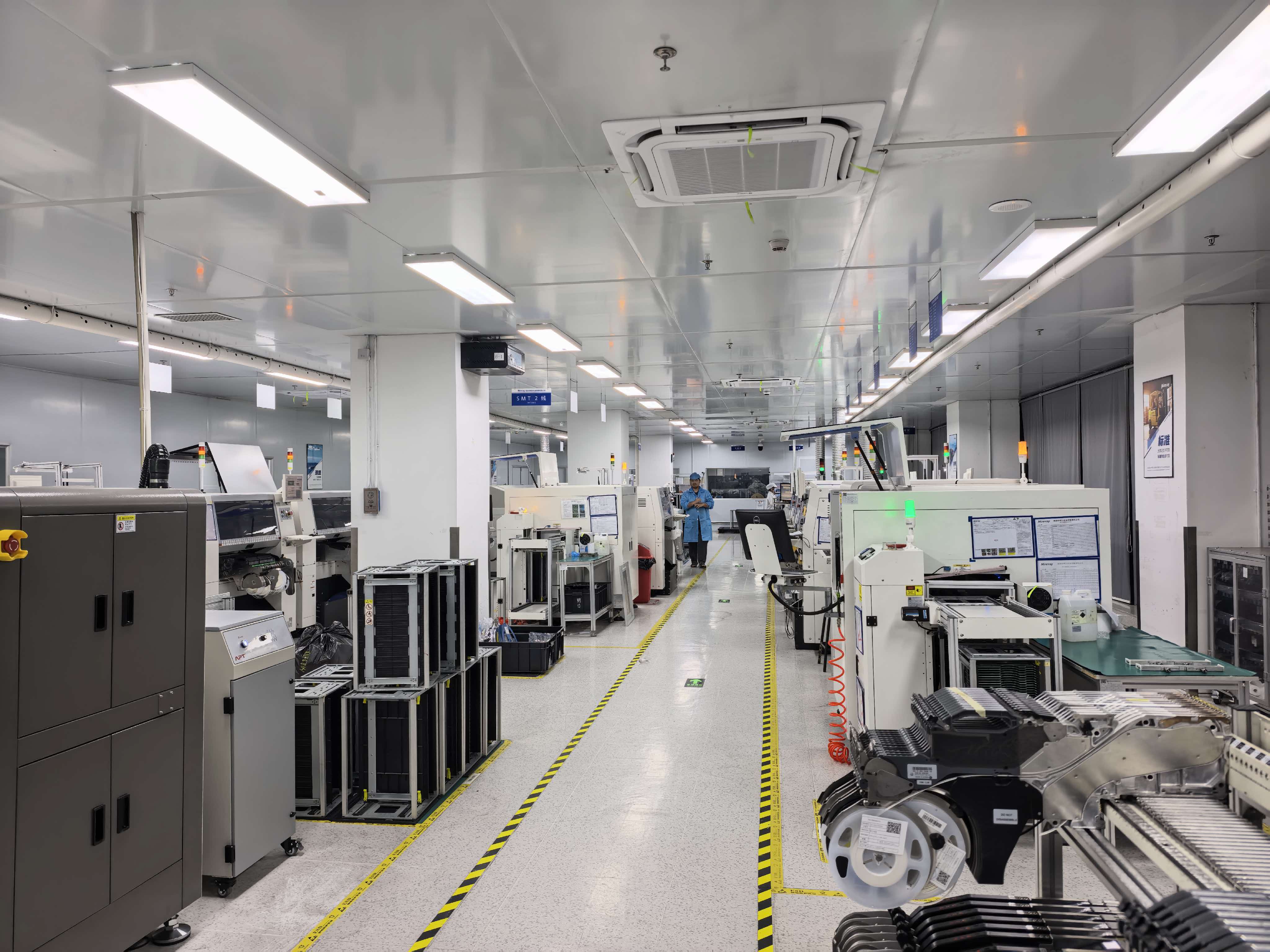
Acceptance is a pre-shipment test procedure, backed by a 100% full-function aging test and a pre-delivery signal stability inspection.
FAQ
What standards and documents should a buyer verify before ordering a live streaming camera?
Verify two layers: interoperability and product documentation. In dedicated videoconferencing environments, Texas Department of Information Resources guidance requires equipment to meet relevant ITU transmission standards — H.320 or H.324 for certain telephone/ISDN environments and H.323/SIP for Internet-based conferencing — while ITU-T H.324 defines a system architecture that includes camera video I/O equipment. Ask the supplier to declare which protocols the camera implements rather than inferring them from a 4K or HDMI label. On the trade side, special-purpose television cameras including CCTV are classified under HS Code 8525.89, with 8525.89.40 used in some regions, so confirm classification with a customs broker before the first shipment. Request product-specific conformity documentation for each model and each destination market.
Can one supplier cover both USB-only and HDMI/SDI/PoE+ camera requirements?
Yes, if the supplier's portfolio spans both architectures. TCHD Video lists PTZ camera configurations with 4K, HDMI, SDI and USB outputs across 12X, 20X and 30X optical zoom models, and offers the USB-centric TCHD-X6 with USB 3.0, UVC/UAC, 4K@30fps MJPEG and 1080p YUV modes, landscape and portrait output, HDR, AI facial tracking and interchangeable lenses. Its multi-interface models add HDMI, SDI, USB and optional PoE+ wired LAN on a 1/2.8-inch 8.42 MP sensor platform with 3840×2160 output up to 60fps and 100-metre 1080P60 SDI transmission. The company reports a 10-engineer R&D team, a 10,000 m² facility and an annual output of 4,000 units.
What commercial terms shape the budget for a first order and for repeat orders?
Three terms matter most: minimum order quantity, payment timing and delivery term. For models 6394, 6388 and 6370, TCHD Video's terms are MOQ 1 unit, full prepayment, and FOB/C&F delivery, with acceptance by pre-shipment test. A one-unit MOQ allows a project to place a single test camera without committing to volume, while full prepayment means cash flow has to be planned before production begins. On unit cost, TCHD Video's comparison documentation records a 15% lower cost than traditional cameras for its multi-interface 4K models. Power consumption affects installed cost as well: published figures are under 12W on TC420 and up to 18W on 6370, both at DC12V (±10%).
How can a buyer validate a camera before committing to a volume supply agreement?
Use a single-unit order as a test unit and validate three things: image behaviour, signal stability and control integration. TCHD Video's acceptance procedure is a pre-shipment test, supported by a 100% full-function aging test before shipment, a pre-delivery signal stability inspection, 24-hour online technical debugging and spare parts supply for quality defects. Run the camera on the real cable path and the real switching hardware, and confirm that control commands match the existing controller — VISCA, Pelco-D or Pelco-P over RS232/RS422 on the LAN/USB3.0 models — or that the host software recognises the UVC/UAC device on a USB deployment.
How do you secure long-term live streaming camera supply from China?
Start with a supplier whose range covers both interface families, so a second project does not trigger a second qualification process. TCHD Video was established in 2005 and operates a 10,000 m² facility with 50 employees, 10 R&D engineers and an annual output of 4,000 units, with a stated export ratio of 20% and main markets in the EU, USA and Asia. Long-term supply is normally secured by fixing the interface, the protocol set and the acceptance test in the purchase agreement, then keeping the same model family across projects so that spares, training and control hardware stay consistent. You can review the full range in the TCHD Product Catalog 2025 and send your configuration to Leo Chen at tomzhang@tchdvideo.com for a quotation.
Conclusion: Choose the Interface, Then the Camera
The interface decision can be reduced to four questions asked in order. What receives the signal — a computer, a switcher, or a network? How far is the camera from that receiver? Where does power come from? Which control protocol does the room already speak? USB 3.0 with UVC/UAC answers all four for computer-based workflows and removes hardware from the chain. HDMI and SDI answer them for production environments, with 100-metre 1080P60 SDI reach on the TCHD Video multi-interface models. PoE+ answers them when cameras are distributed across a network and no local power is available.
Once the architecture is fixed, the remaining work is commercial: validate on a single unit, confirm the acceptance test, and lock the terms. TCHD-X6 covers the USB-centric side of that decision with 4K@30fps MJPEG, 1080p YUV, portrait output, HDR, AI facial tracking and interchangeable lenses; the TCHD Video multi-interface models cover HDMI, SDI, USB and optional PoE+ on a 1/2.8-inch 8.42 MP, 3840×2160 up-to-60fps platform, with MOQ 1 unit, full prepayment, FOB/C&F delivery and pre-shipment test acceptance on models 6394, 6388 and 6370.
Next Step: Match a Camera to Your Signal Chain
Send the interface you need, the distance to the receiver, the control protocol and the destination platform. TCHD Video will confirm the matching configuration, the delivery term and the acceptance procedure — and a single unit can be ordered for validation first.
Download the TCHD Product Catalog 2025 · WhatsApp +86 19498872019 · tomzhang@tchdvideo.com · www.tchdvideohk.com
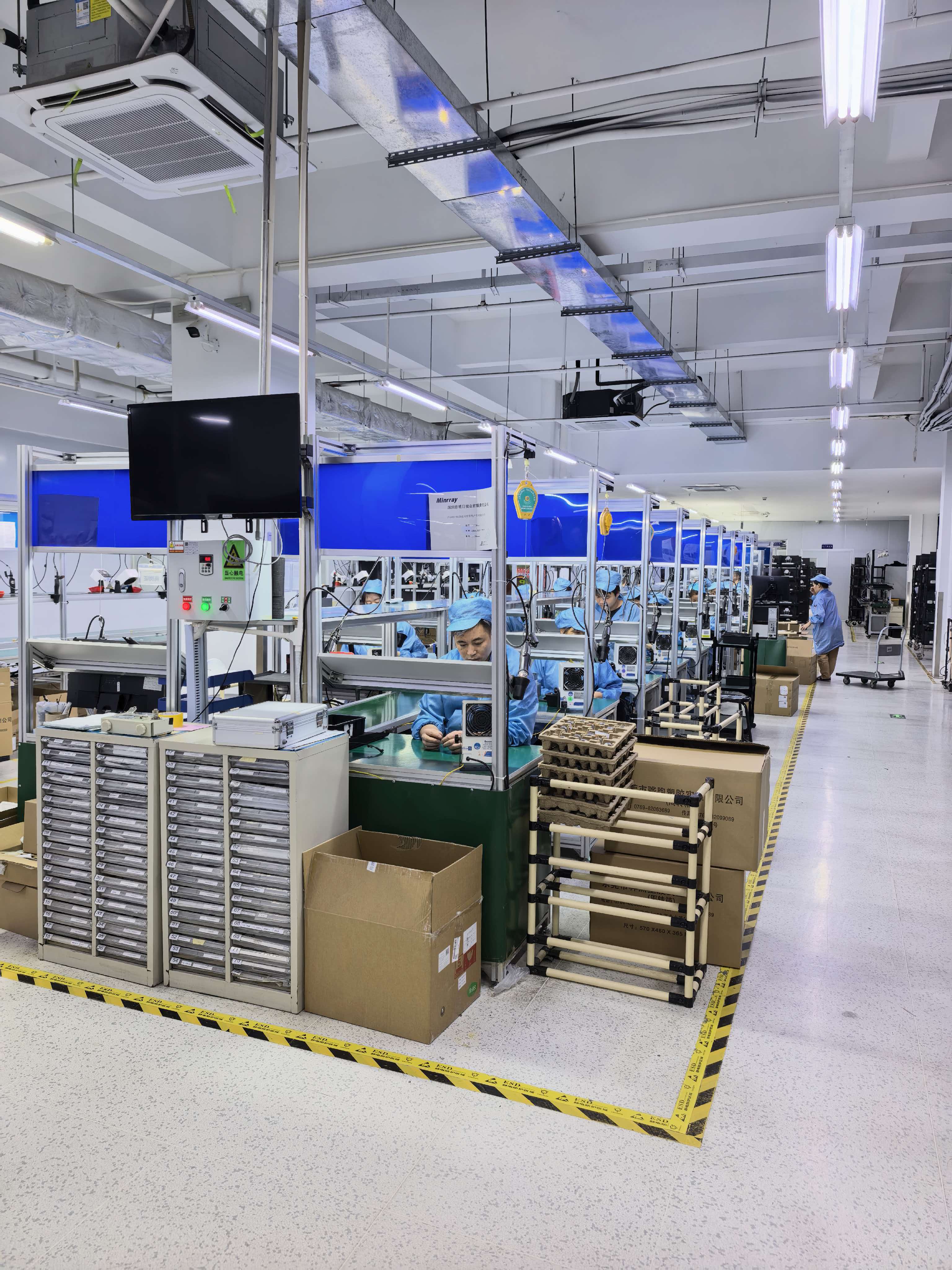
TCHD Video (Tchd Digital Video Technology Development (Beijing) Ltd) has operated since 2005 from a 10,000 m² facility with an annual output of 4,000 units.
Have Questions or Need More Details?
Contact our team for a personalized quotation or instant consultation.
Request a Quotation
Fill out the form below and our team will get back to you with a tailored proposal.
WhatsApp Direct Chat
Prefer to chat in real-time? Message us on WhatsApp for instant assistance & quick answers.
- Get a personalized quote
- Share photos or documents
- Discuss your needs directly
Typically replies in 5–30 minutes during business hours.