Production Switcher UVC Output: Driver-Free Webcam Setup
A production switcher with UVC output presents its program feed to a computer as a standard USB camera. There is no capture card in the chain and no vendor driver to install: the operating system recognises the device class, loads its own support, and the streaming, meeting, or recording application lists the switcher in the same camera menu as a webcam. That behaviour affects cabling, commissioning, and troubleshooting more than most specification lines do, which is why UVC support belongs in technical evaluation rather than in the convenience column.
TCHD Video, established in 2005 and based in Beijing, develops and supplies video hardware — video switchers among them, alongside live streaming cameras, capture cards, converters, encoders, and recording hosts — plus system solutions for virtual studios, online live streaming, conference streaming equipment, and outdoor live streaming equipment. This guide explains what a UVC output does on a switcher, how driver-free recognition works in practice, what to verify about input and output formats, how the UVC path compares with a capture-card chain, and which questions to settle before ordering. Model notes cover the TCHD-812 Ultra and the TCHD-840 Super.
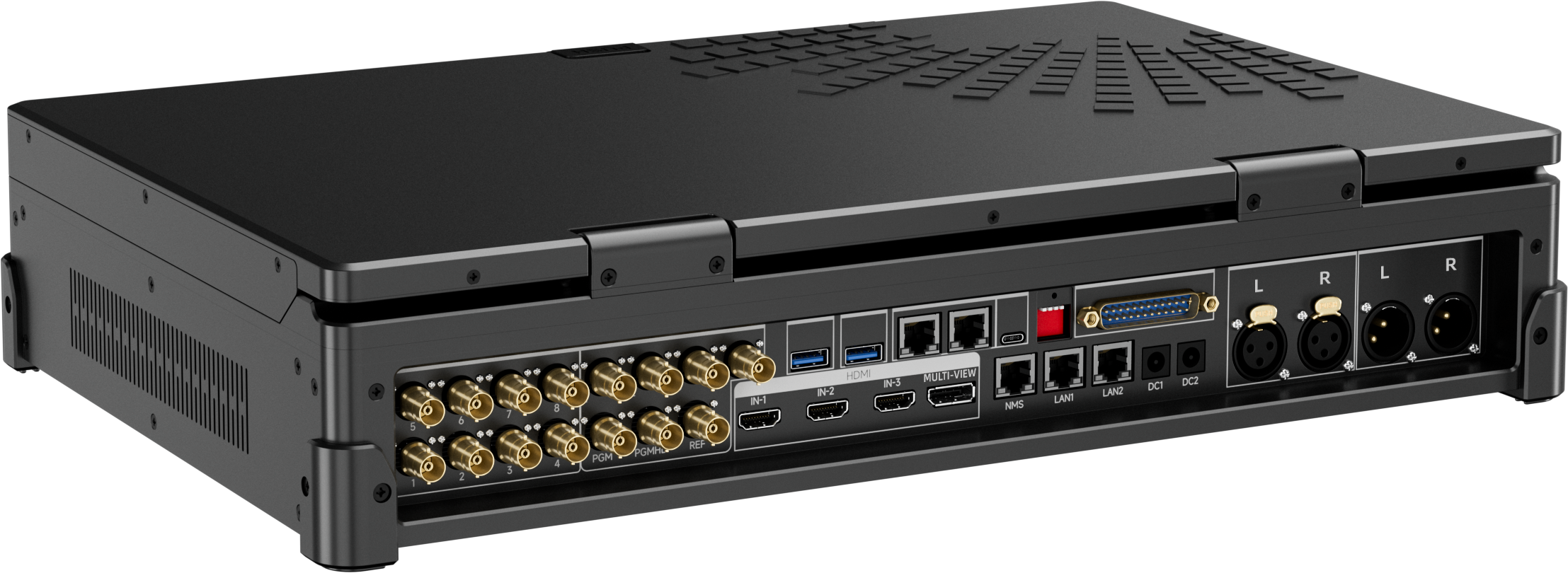
What a UVC output on a production switcher actually is
UVC stands for USB Video Class, a device-class standard for carrying video over USB. Hardware built to the class does not need a product-specific driver on the host: the computer detects the class, applies its own support, and exposes the device as a camera. Windows, macOS, and common Linux distributions include that class-level support, and this is what driver-free means in a real installation.
On a switcher, the UVC output is generated inside the unit. The switcher encodes its program feed into a UVC stream and publishes it on a USB port, so the computer receives the same program output that feeds the main broadcast or recording chain. Switching, transitions, keying, and audio mixing still happen in the switcher; UVC carries the result to the host, not the control surface.
Four boundaries matter once the feature is written into a specification:
- Video, and sometimes audio. Whether the UVC stream embeds audio is model- and firmware-dependent, so the audio plan must be confirmed separately.
- Format list. The resolutions and frame rates the UVC output publishes are defined by the model's firmware, and they are not automatically the same as the switcher's SDI or HDMI program format.
- Device count. How many UVC devices a switcher presents, and how many a single host can run, are two separate limits.
- Role. UVC output sits alongside SDI, HDMI, and network streaming outputs where those exist; it does not replace them.
Why driver-free webcam recognition became a selection criterion
Multi-camera production increasingly runs on a computer. In a church, a classroom, a clinic, or an e-commerce studio, the control position is often a laptop with two free USB ports, and the software is a streaming studio, a meeting client, or a recorder. In that environment, every conversion box between the switcher and the computer is another device to power, cable, configure, and replace.
Category research points in the same direction. One commercial estimate puts the global production switcher market at USD 2,596.79 million in 2025 and attributes growth to IP-based broadcasting and the transition to multi-camera streaming (Precision Reports, 2026). Scope changes the number materially: published estimates for the broader video switcher category range from roughly USD 1.03 billion to USD 6.63 billion for 2025–2026 depending on what is counted, so the figure is best read as a direction rather than a precise market value.
For importers, the category also has a customs dimension. Video mixing systems and consoles are classified under HS code 85437062 in various jurisdictions, and the classification should be confirmed with a customs broker before the first shipment rather than assumed from the product description.
How driver-free recognition works, step by step
The sequence is similar on almost any host; the checks are what prevent a commissioning delay.
- Identify the correct USB port. Not every USB port on a switcher is a device output; some are reserved for storage, firmware updates, or control. Confirm from the port marking and the manual which connector publishes the UVC stream.
- Use a data-rated cable at a realistic length. A charge-only cable can power a device without enumerating it, producing a no-camera result that looks like a firmware fault.
- Let the host enumerate the device. Once the class driver binds, the switcher appears in the operating system camera list. Record the enumerated name exactly as it appears, because that string is what an operator will search for under time pressure.
- Select the camera inside the application, not only in the operating system. Streaming studios, meeting clients, and recorders each hold their own device selection and can keep a stale one after a port change.
- Choose the format from the list the switcher publishes. If the application offers a resolution or frame rate the UVC output does not provide, the usual outcome is a scaled or failed stream rather than a clear error message.
- Decide the audio path before the first rehearsal. If audio is embedded in the UVC stream, the application receives it with the video; if not, a separate audio interface is required and the two paths must be aligned.
- Record a short test and review it, not just the preview. Check lip sync, check that switching inputs on the switcher does not drop the USB device, and check what happens when the host sleeps or the cable is re-seated.
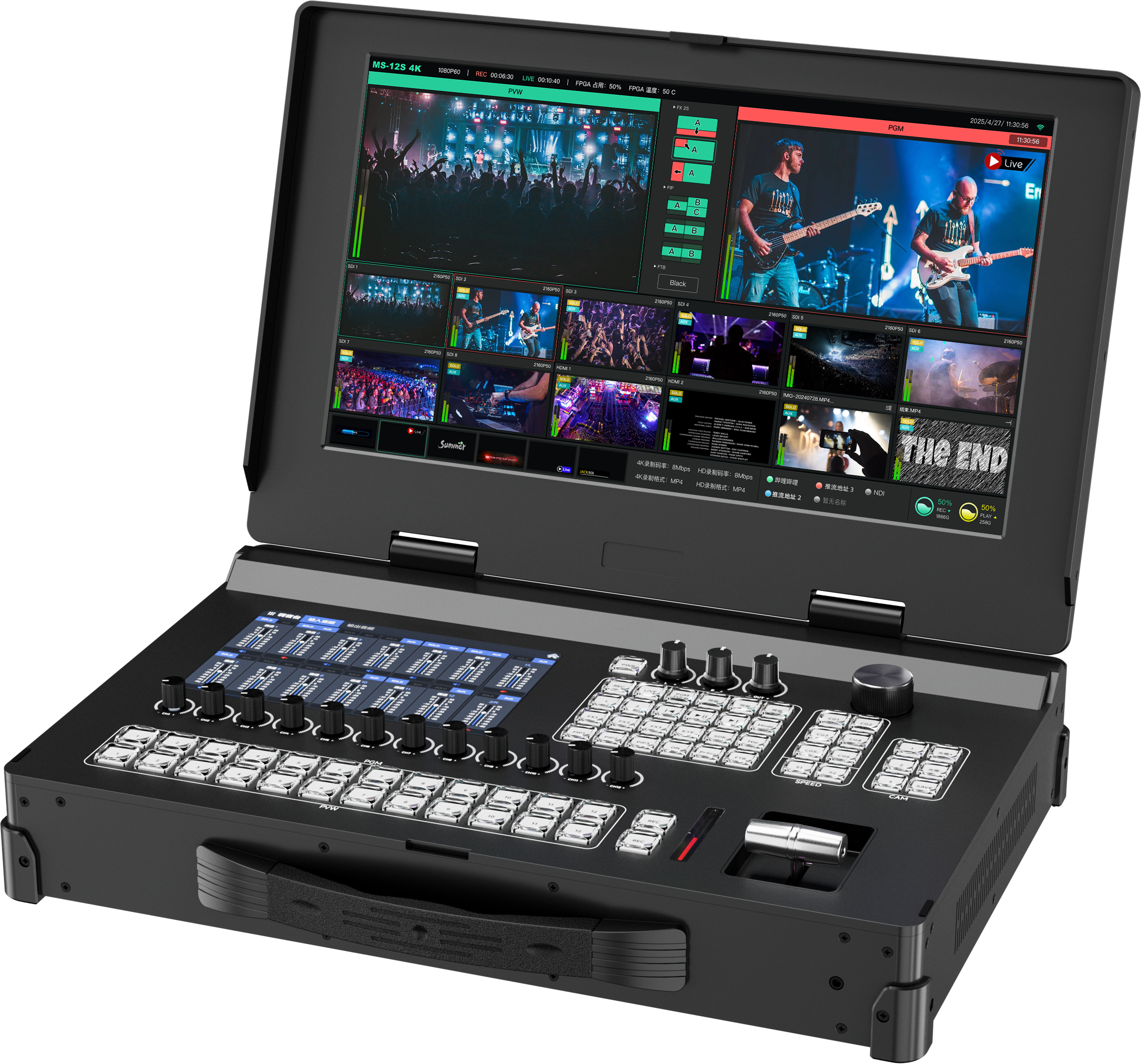
Input and output format compatibility: what to verify
Format questions divide into what enters the switcher and what leaves it. On the input side, 12G-SDI (SMPTE ST 2082) carries uncompressed 4K at 60 fps over a single coaxial cable at a data rate of 11.88 Gbps, while HDMI 2.0 is the common parallel path. Published trade coverage describes the TCHD-812 Ultra and TCHD-840 Ultra as 4K60 models with 12G-SDI or HDMI 2.0 connectivity and up to four simultaneous platform streaming outputs.
On the output side, the UVC stream is a separate interface with its own published format list. Two assumptions cause most integration problems: that the UVC stream automatically matches the 4K60 program format, and that any application will accept whatever the switcher publishes. Neither holds without checking.
| Layer | Question to ask | Why it changes the setup |
|---|---|---|
| Switcher input | Which SDI and HDMI standards are accepted? | Sets camera and source compatibility before the UVC stage |
| UVC stream | Which resolutions and frame rates does the UVC output publish? | The application can only select from this list |
| Host USB | How many UVC devices per controller, and at what format? | Bandwidth and port count limit multi-device hosts |
| Application | Which camera formats does the software accept and convert? | A supported stream can still be rejected or scaled |
| Audio | Is audio embedded in the UVC stream? | Decides whether a separate audio interface is needed |
Two further checks are worth adding. First, host bandwidth: several UVC streams on one USB controller compete for the same capacity, so high-bitrate devices are better spread across controllers. Second, portrait work: if the program is composed vertically for mobile platforms, confirm whether the UVC output carries the vertical composition or a scaled landscape frame. That has to be verified per model, not inferred from the switcher's streaming features.
UVC output versus capture card: a practical comparison
Both approaches usually end with a UVC device on the host, because most external capture cards also present themselves as USB video class devices. The difference is where the conversion happens: inside the switcher, or in a separate box between the switcher and the computer. That single difference drives most of the comparison.
| Criterion | Switcher UVC output | External capture card |
|---|---|---|
| Signal origin | Switcher program feed, encoded internally | Any HDMI or SDI source cabled into the converter |
| Extra hardware | None beyond a data-rated USB cable | Converter box, power supply, additional cabling |
| Driver requirement | None; class-level operating system support | None for UVC-style cards; some models need vendor software for extra features |
| Format ceiling | Defined by the switcher firmware format list | Defined by the card and its input standard |
| Audio | Embedded or separate, model-dependent | Embedded or separate, card-dependent |
| Expansion | Limited by switcher device count and host ports | Add one card per additional source |
| Failure isolation | Switcher firmware, cable, host port | Card, power, cable, input format, host port |
| Typical fit | Software-first, laptop-based, single operator | Mixed sources, redundancy, non-switcher signals |
The capture card keeps an advantage in one important case: when the host must ingest sources that never pass through the switcher, such as a second camera, a laptop presentation feed, or a remote return. It also offers a form of redundancy, because a second card and cable can be swapped in without touching the switcher. The UVC path wins where the program feed is the only thing the host needs, where the setup is rebuilt in different rooms, and where the operator is not a technician.
Where the UVC workflow fits
The scenarios below are the ones where a driver-free camera input changes the practical setup rather than only the parts list.
Worship, conferences, and campus production
Church streaming switchers, conference streaming switchers, campus TV, and converged media center installations share a constraint: the operator is often a volunteer or an educator, and the machine is a general-purpose computer. A switcher that appears as a camera removes driver installation from the volunteer checklist and from the IT department approval queue.
Teaching, lectures, and clinical demonstration
Smart classroom switchers, lecture recording switchers, and surgical live-demo switchers run in managed environments where installing software may require permissions the operator does not hold. Driver-free recognition keeps the host image unchanged. TCHD Video's portfolio includes medical video recorders and surgical teaching hosts alongside its switchers, and its solutions cover educational recording systems and educational MOOCs — relevant context when a teaching hospital or a university evaluates one supplier for both switching and recording.
Commerce, events, and competition
E-commerce live stream switchers, multi-platform live stream switchers, concert and performance switchers, and sports or esports tournament switchers all rely on software that accepts a camera input and handles scenes, overlays, and platform outputs itself. Livestream e-commerce is projected to reach USD 312.35 billion by 2035, with Asia Pacific holding a 66% share in 2025 (Precedence Research), which is one reason commerce studios specify compact, software-first chains. For outdoor and vertical portrait productions, confirm cable length, port protection, and whether the format list covers the intended orientation before committing to a layout.
Model notes: TCHD-812 Ultra and TCHD-840 Super
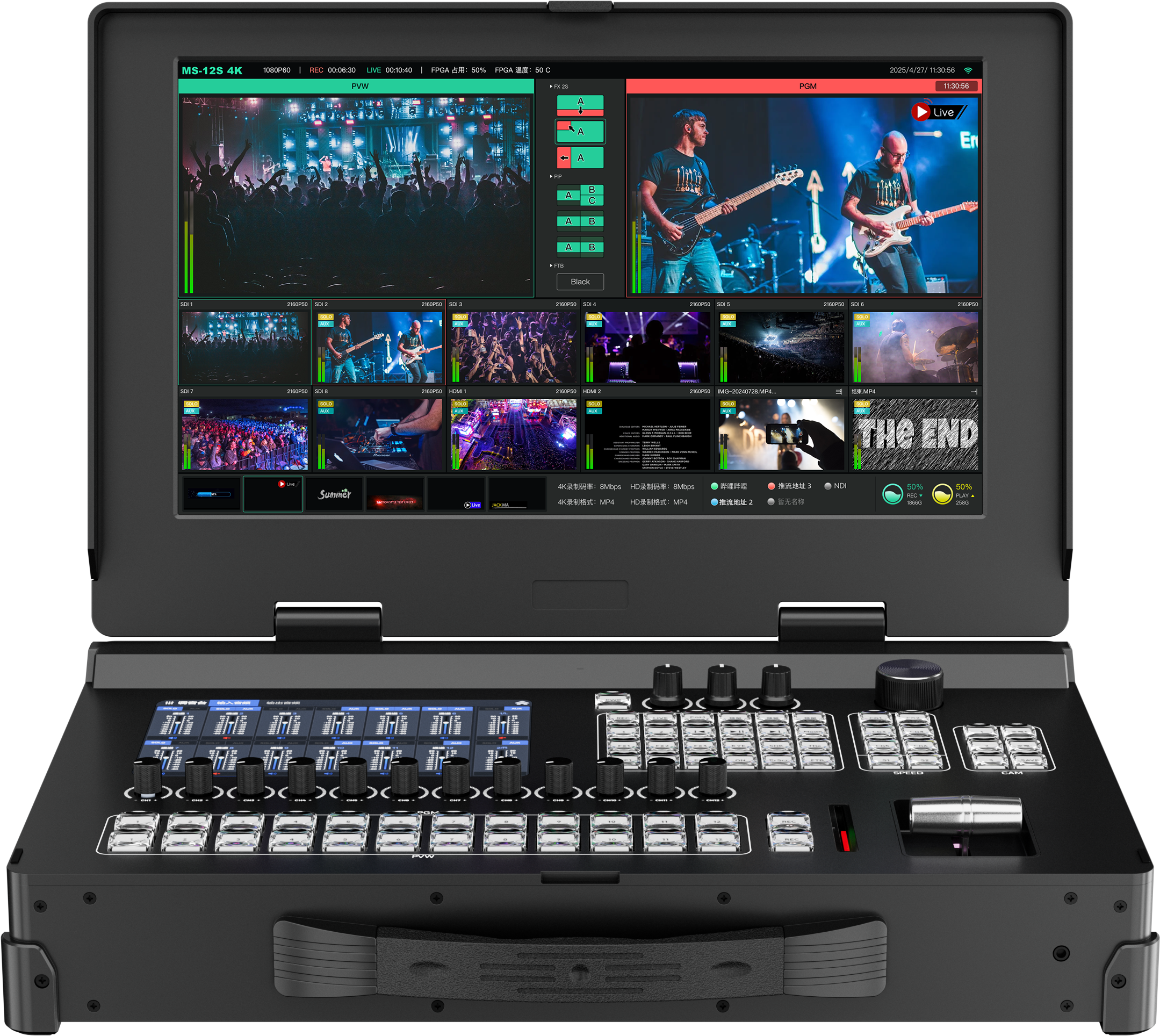
TCHD Video specifies a standard UVC output on the TCHD-812 Ultra that the host recognises as a high-definition webcam. In a multi-camera production switcher role, this means the program feed can be selected directly in streaming, meeting, or recording software. The same model appears in published coverage as a 4K60 unit with 12G-SDI or HDMI 2.0 connectivity and up to four simultaneous platform streaming outputs; the UVC path is a separate host-facing output, so the two should be planned as different signal paths.
The TCHD-840 Super is specified with a driverless UVC signal, which matters most where the host is not under the operator's control: a managed laptop, a borrowed machine, a lab computer, or a venue system where software installation is prohibited. In those settings the value of the feature is feasibility rather than convenience — the switcher can be used without changing the host image.
The TCHD-840 family also includes the TCHD-840 Ultra, which appears in the same trade coverage as the 4K60 models. Model names should not be treated as interchangeable: before standardising on any unit, obtain the UVC format list, the audio behaviour, and the full output inventory for that exact model and firmware version.
Selection checklist: from evaluation to execution
Use the checklist as a scoring sheet during evaluation and as a commissioning record afterwards.
- Output inventory. List every output the production needs — program to the host, program to a backup recorder, multiview, aux. If the host is the only destination, UVC covers the requirement; if several destinations exist, confirm the switcher's other outputs before removing them from the comparison.
- Host inventory. Count computers, free USB ports, and controllers. Two switchers on one controller is a bandwidth decision, not a port-count decision.
- Format match. Obtain the UVC format list in writing and compare it with what each application accepts.
- Audio plan. Decide embedded or separate audio, and write the decision into the setup sheet.
- Software test. Test on the actual host, with the actual application version, before the venue date.
- Cable and power budget. A UVC chain removes a converter but still needs a data-rated cable, a powered host, and strain relief at the port.
- Expansion headroom. If a third or fourth camera is likely, decide whether it will arrive through the switcher or as a separate host input.
- Documentation and firmware. Ask who supplies firmware updates, which format changes they can introduce, and whether UVC behaviour is documented per model.
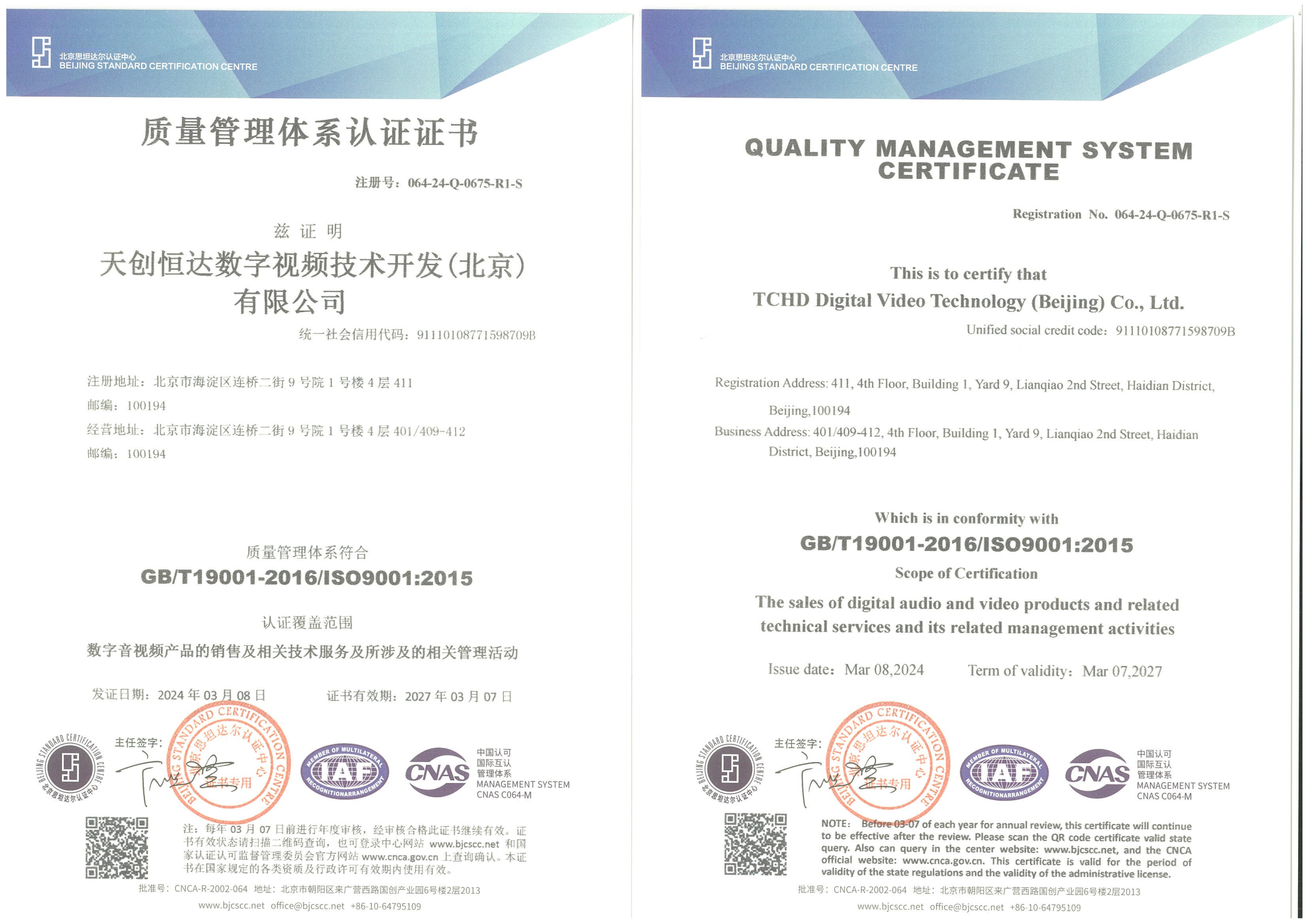
- Compliance scope. Request the certificate whose stated scope covers the exact model ordered. TCHD Video's ISO 9001, ISO 14001, and ISO 45001 certificates cover the sales of digital audio and video products and related technical services, and its CE EMC attestation LCSA07075157E is scoped to the TC-400N4 HDMI series capture card.
- Commercial confirmation. Ask for a line-item quote covering switcher, cables, spares, and delivery schedule rather than a single unit price.
Frequently asked questions
How should Chinese OEM manufacturers for multi-camera production switchers be evaluated?
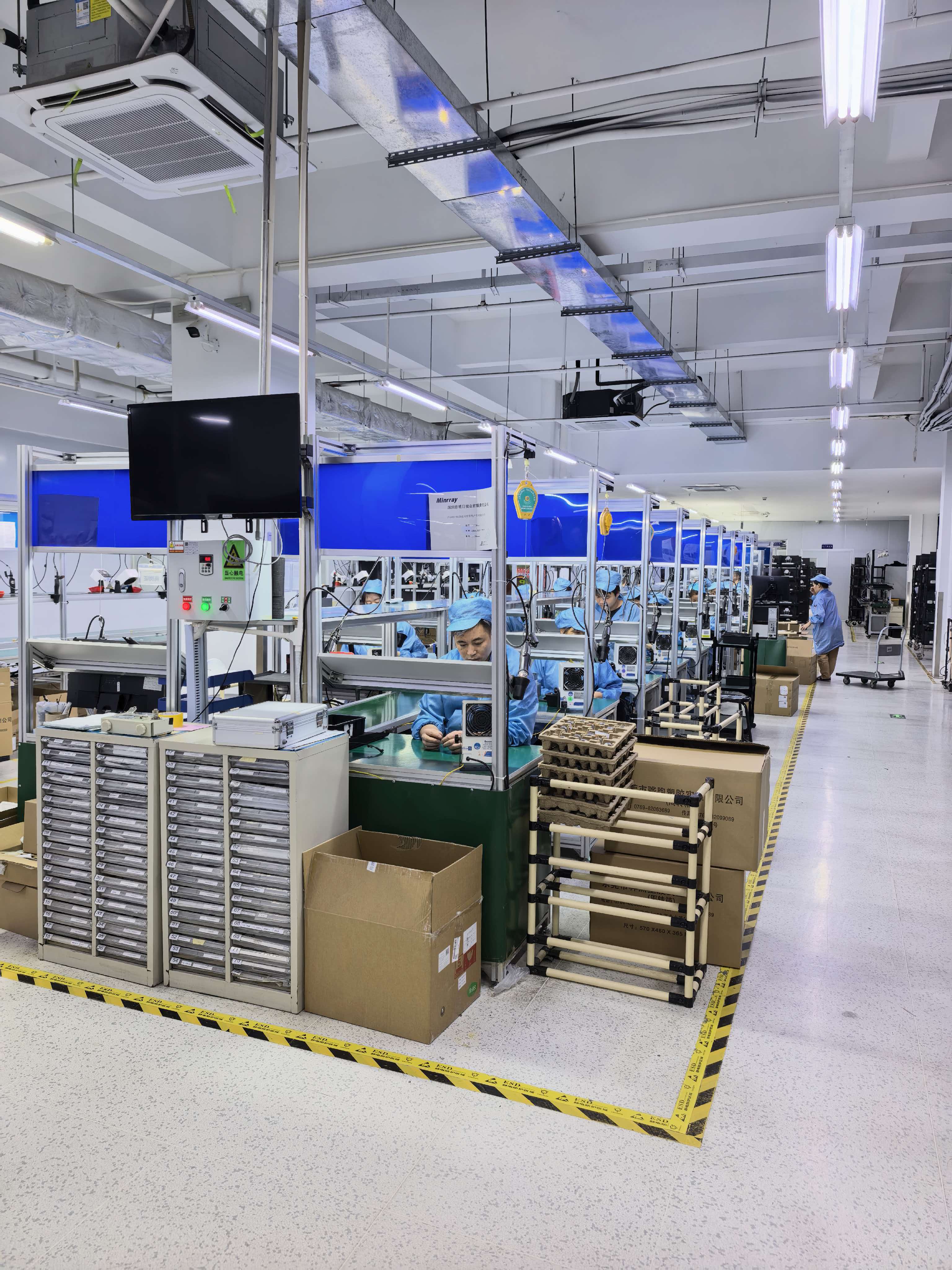
Assess them on evidence rather than on a supplier list. Four checks separate a workable partner from a catalogue: whether the switcher output set matches your workflow (SDI, HDMI, UVC, and network streaming), whether firmware or branding customisation is offered, whether management-system certificates are current, and whether the compliance document you need is scoped to the exact model you order. TCHD Video, established in 2005 in Beijing, operates a 10,000 m² facility with 50 employees, a 10-engineer R&D team, and an annual output of 4,000 units; video switchers are listed among its main products, and the company states that products can be customised and developed according to customer requirements. Its ISO 9001, ISO 14001, and ISO 45001 certificates (064-24-Q-0675-R1-S, 064-24-E-0676-R1-S, 064-24-S-0677-R1-S) were issued by Beijing Standard Certification Centre and are valid from 2024-03-08 to 2027-03-07.
Does a production switcher with UVC output need a driver installed?
No. UVC is a device class, so the operating system supplies the support and the switcher appears as a camera without a vendor driver. The exceptions are vendor utilities used for configuration or firmware updates, which are separate from the video path and are not needed for the stream itself.
How can I confirm the UVC stream will work with my streaming, meeting, or recording software?
Three steps settle it. Obtain the switcher's UVC format list in writing, test on the actual host with the actual application version, and confirm that the application can select and convert one of the listed formats. Applications that capture from a standard camera input normally handle UVC devices, but the accepted format list differs between programs, so a test recording is more reliable than a compatibility claim.
Is the UVC stream the same resolution as the switcher's program output?
Not necessarily. The UVC stream has its own firmware-defined format list, which may differ from the 4K60 program format available on 12G-SDI or HDMI 2.0 outputs. Check the published list for the exact model and firmware, and check whether the UVC feed mirrors the program output or a scaled version of it.
UVC output or a capture card for a three-camera church or e-commerce setup?
If all three cameras pass through the switcher and the computer only needs the program feed, UVC output removes a box, a power supply, and a cabling stage, and it keeps the setup reproducible across rooms. If the host also needs sources that bypass the switcher, or if a hot spare path is required, keep a capture card in the chain as well. The two are not mutually exclusive.
What drives cost, and what should I confirm before ordering a sample?
Two things dominate the commercial comparison. The first is component count: a UVC chain removes a converter, its power supply, and associated cabling from the bill of materials, while a capture-card chain adds them plus mounting labour — neither is automatically cheaper, because a card can be reused with sources that never reach the switcher. The second is schedule and spares: request a line-item quote covering switcher, data-rated cables, spare parts, and delivery schedule, and confirm the UVC format list and audio behaviour in writing for the exact model and firmware. The TCHD Product Catalog 2025 provides the portfolio overview, and model-specific questions can go to the TCHD Video team before a sample unit is ordered.
Conclusion
UVC output changes a production switcher from a device that needs an adapter into a device a computer simply recognises. The evaluation question is therefore not whether driver-free webcam recognition is convenient, but whether the specific model publishes a format list, an audio behaviour, and an output inventory that match the production. Confirm those three items in writing, test them on the real host, and record the result. Where the program feed is the only signal the computer needs, UVC removes a failure point; where mixed sources or redundancy matter, a capture card still earns its place alongside it.
Next step: download the TCHD Product Catalog 2025 (PDF) for the full switcher, camera, capture, and recording range.
Model-specific UVC format lists and sample requests: Leo Chen, tomzhang@tchdvideo.com, WhatsApp +86 19498872019.
Have Questions or Need More Details?
Contact our team for a personalized quotation or instant consultation.
Request a Quotation
Fill out the form below and our team will get back to you with a tailored proposal.
WhatsApp Direct Chat
Prefer to chat in real-time? Message us on WhatsApp for instant assistance & quick answers.
- Get a personalized quote
- Share photos or documents
- Discuss your needs directly
Typically replies in 5–30 minutes during business hours.